When you're participating in an anonymous review, you'll notice that other reviewers appear differently than usual. This article explains what you're seeing and how to work within an anonymized review environment.
What you're seeing
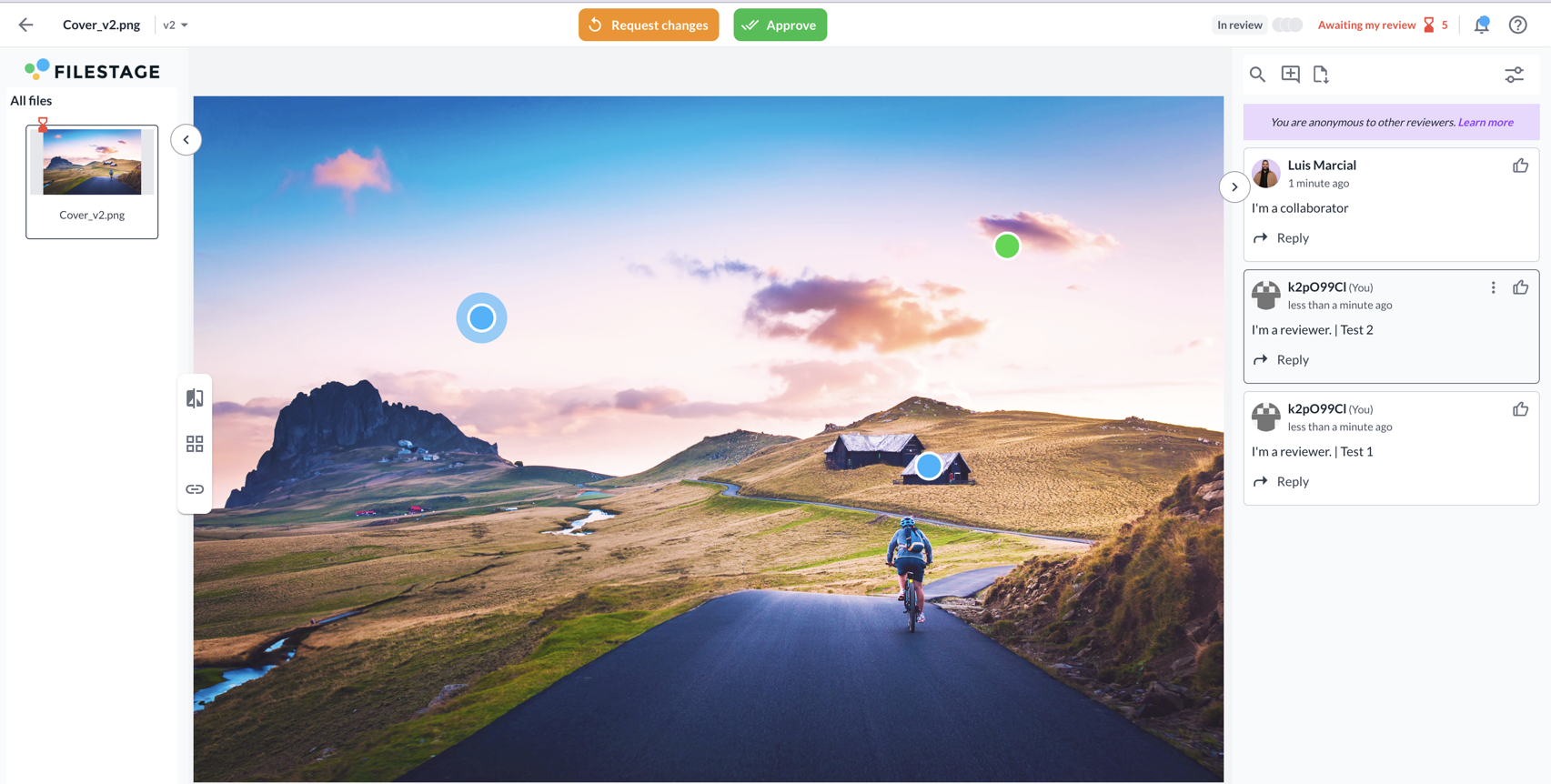
When anonymous reviews are enabled, here's what appears in your review interface:
Anonymized reviewer identities - Other reviewers appear under anonymized IDs like "k2pO99CI" instead of their real names. Each reviewer gets a unique ID and avatar once they start interacting in Filestage, and it stays consistent across all projects where anonymization is active. Project collaborators remain visible - You'll still see the real names of project managers and collaborators who are managing the project, so you know who to contact if needed.
 |
How to navigate anonymous reviews
Providing feedback - Leave comments and feedback exactly as in a normal review. Anonymization doesn't change how you interact with the content. Responding to other reviewers - You can respond to comments from other anonymous reviewers by clicking the reply button under their comments, just like in regular reviews. Mentioning others - You can mention project collaborators (those with real names visible) in your comments using the @ symbol. However, you cannot mention other anonymous reviewers since their identities are hidden.
|
Why reviews are anonymized
Anonymous reviews help ensure you can provide honest, unbiased feedback without being influenced by knowing who else is reviewing. This creates a more objective review environment where feedback is evaluated purely on its merit.
💡What’s next? Continue providing your valuable feedback as usual. If you need to review multiple files efficiently, check out our guide on how to review multiple files at once.
