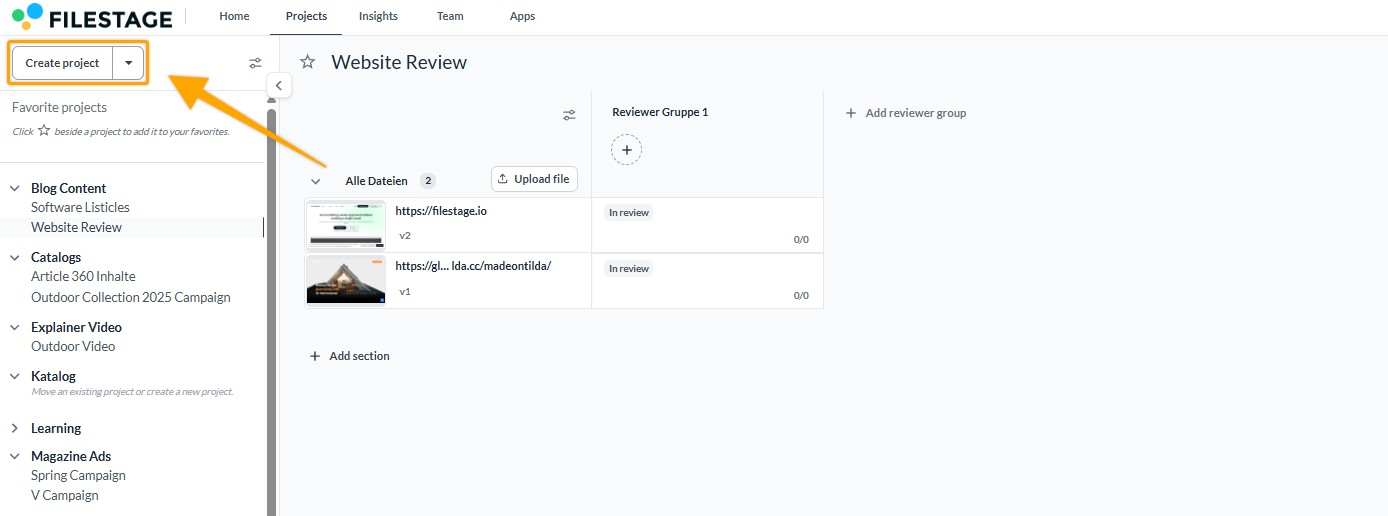
Projects in Filestage are the central hub for your creative work. They bring together files, versions, and stakeholders in one organized dashboard, ensuring every asset follows a clear approval path from the first draft to the final sign-off.
Projects are the foundation of your workflow. Instead of losing feedback in endless email chains or chat messages, a project provides a transparent "source of truth" for your entire team.
By using projects, you can:
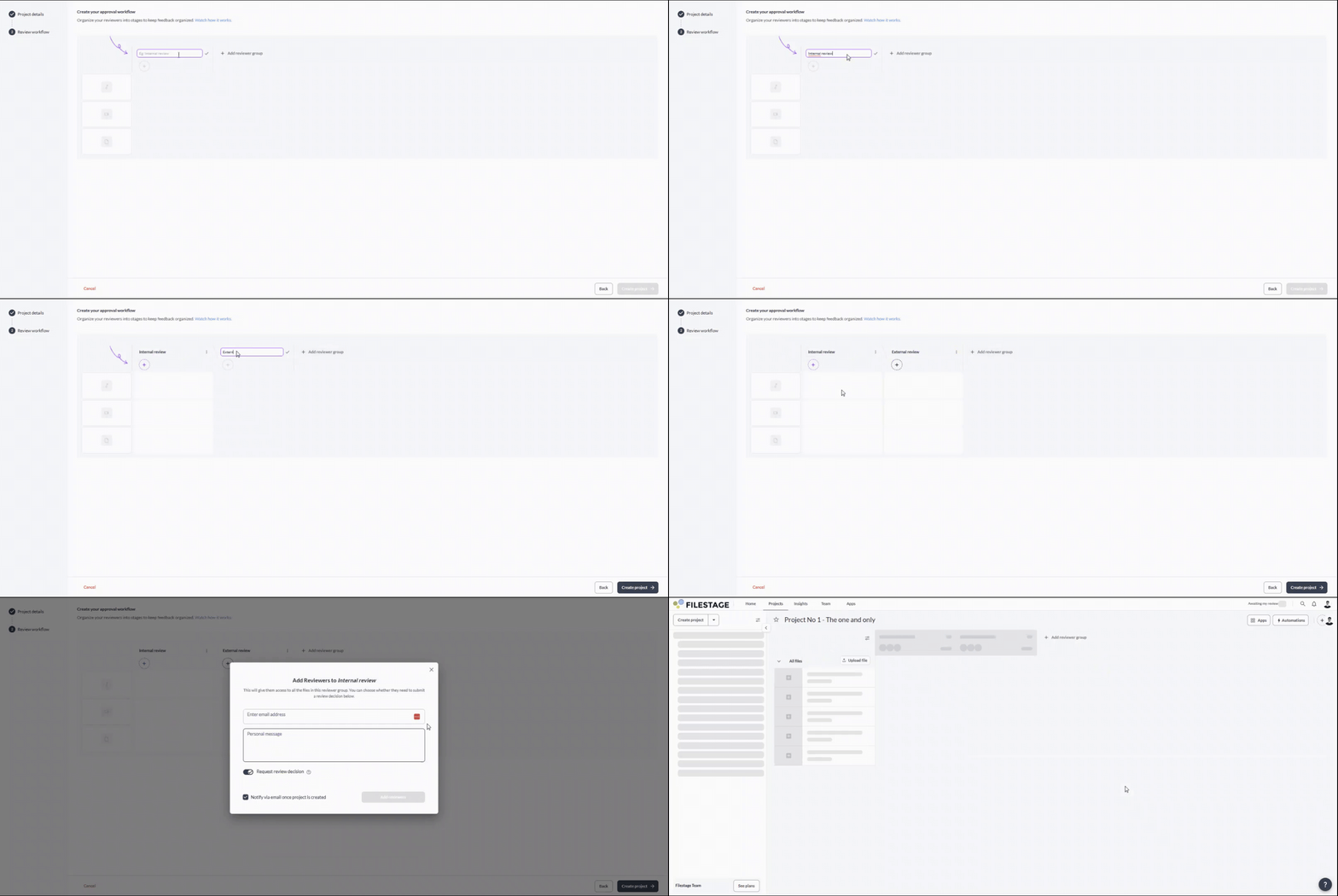
Standardize Workflows: Define exactly who needs to approve a file and in what order using reviewer groups.
Track due dates: Get a high-level view of your project's status and see exactly who you are waiting for.
Stay Organized: Group related projects into folders and use sections to categorize different phases or asset types within your project.
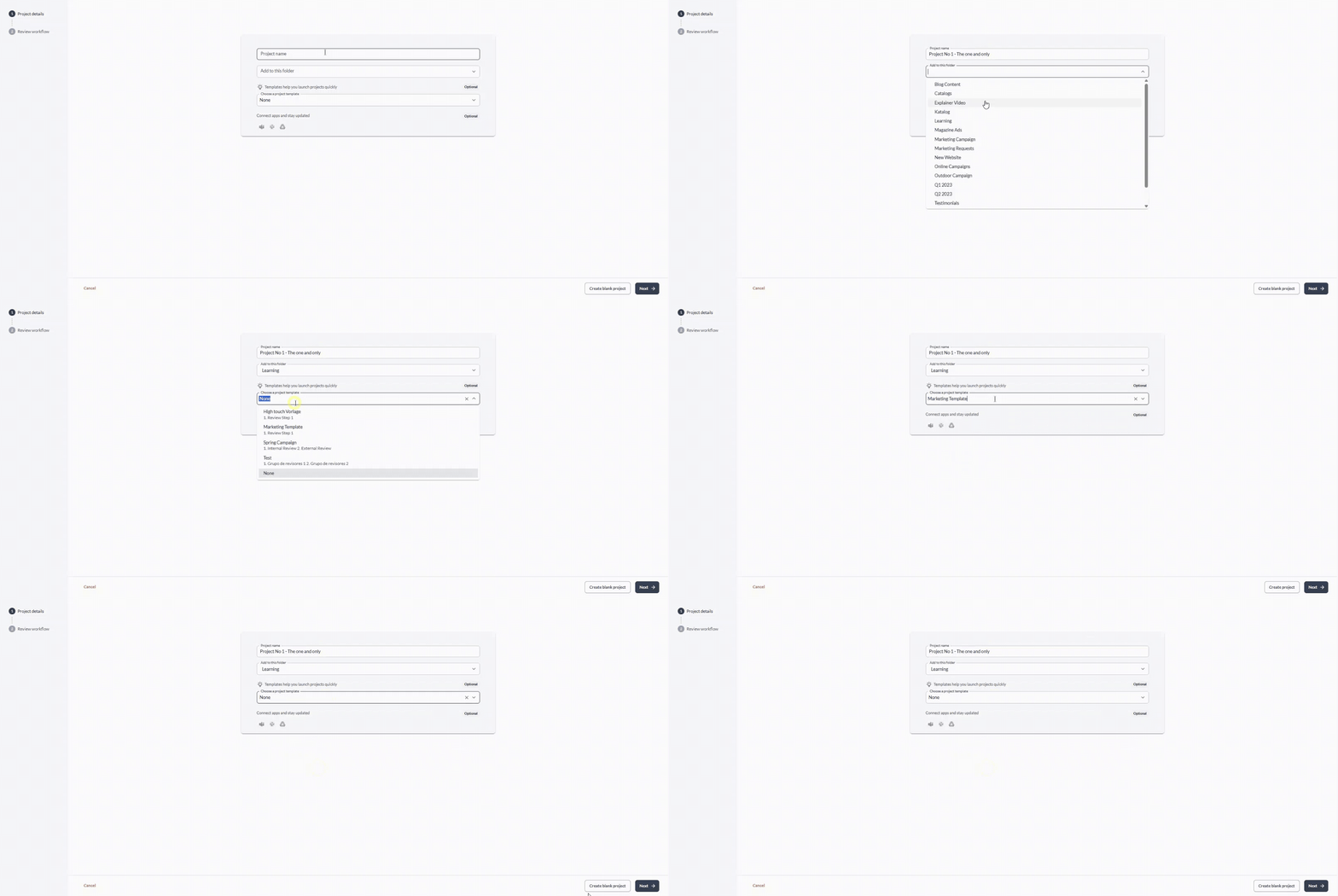
Filestage now uses a guided, step-by-step page to help you map out your review journey before you even upload your first file.
|

As your workspace grows, you may need to structure, archive, or delete projects to keep your dashboard clean.
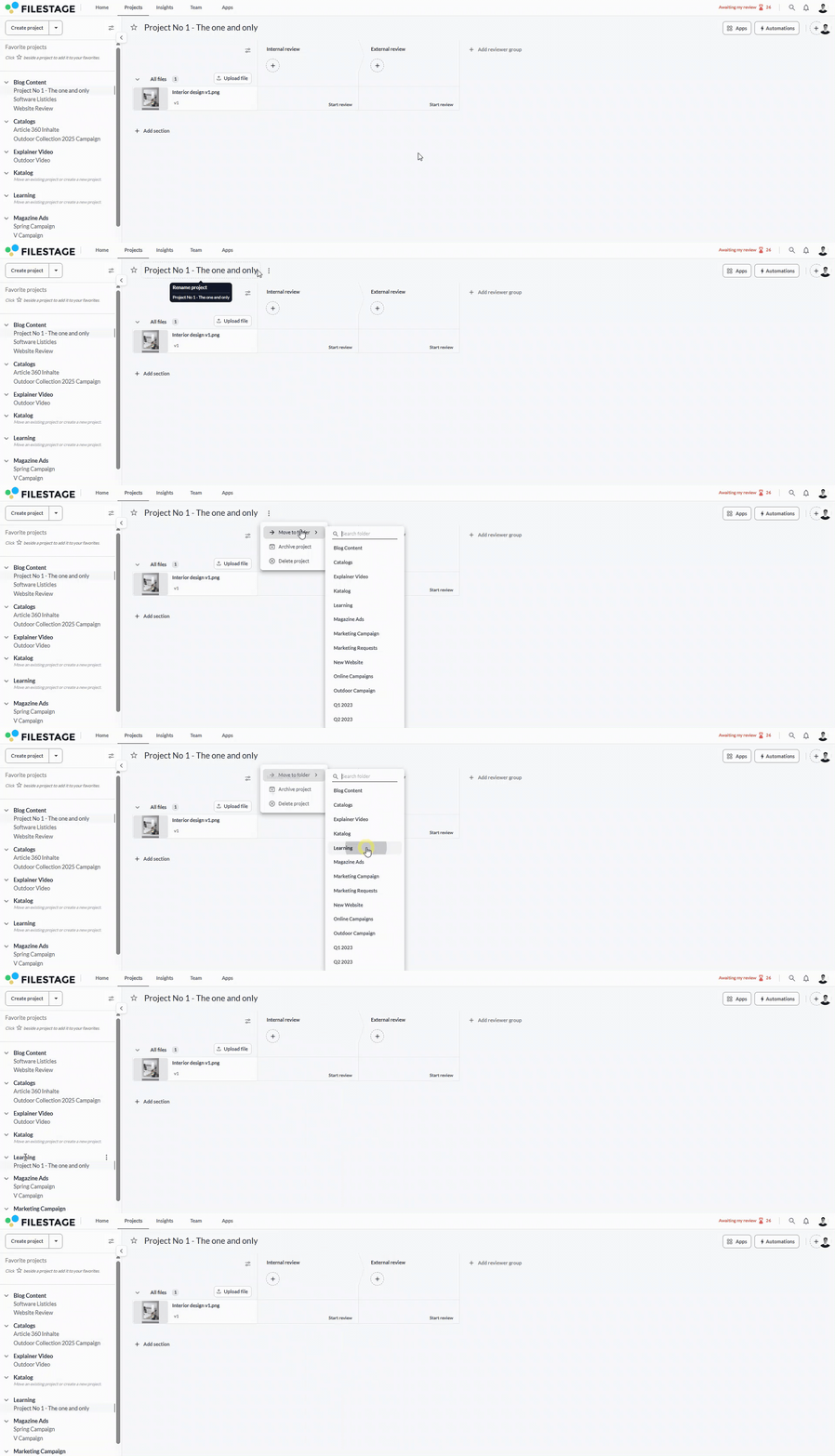
Keeping related projects together is easy with folders. Together with subfolders, this allows you to keep everything where it belongs.
|

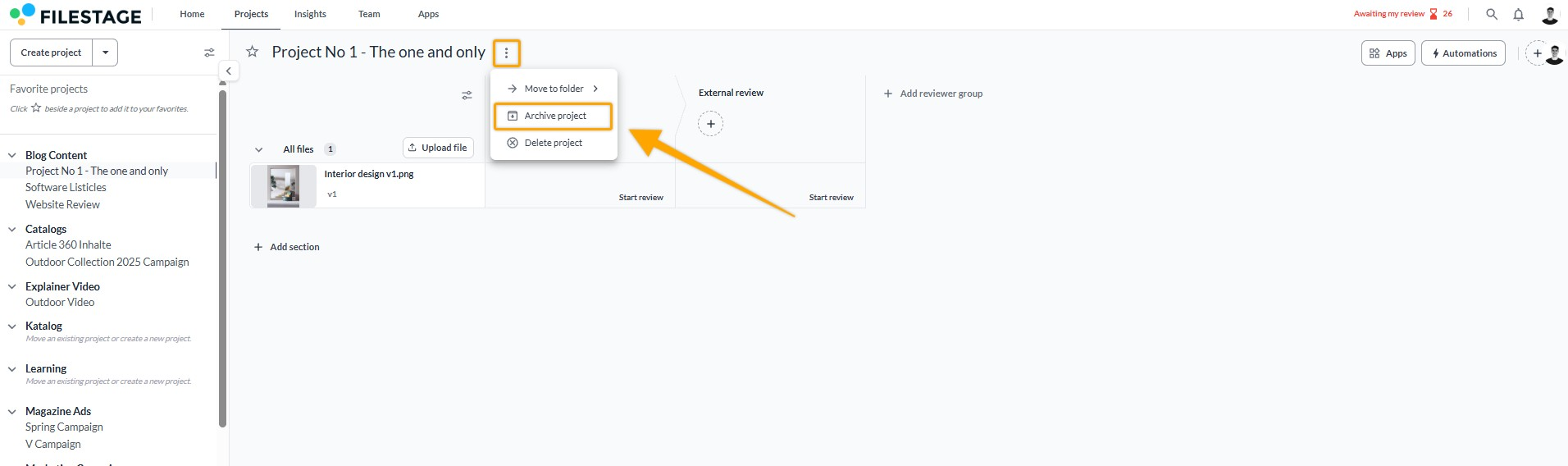
If a project is finished but you want to keep the feedback for future reference, we recommend archiving it.
|
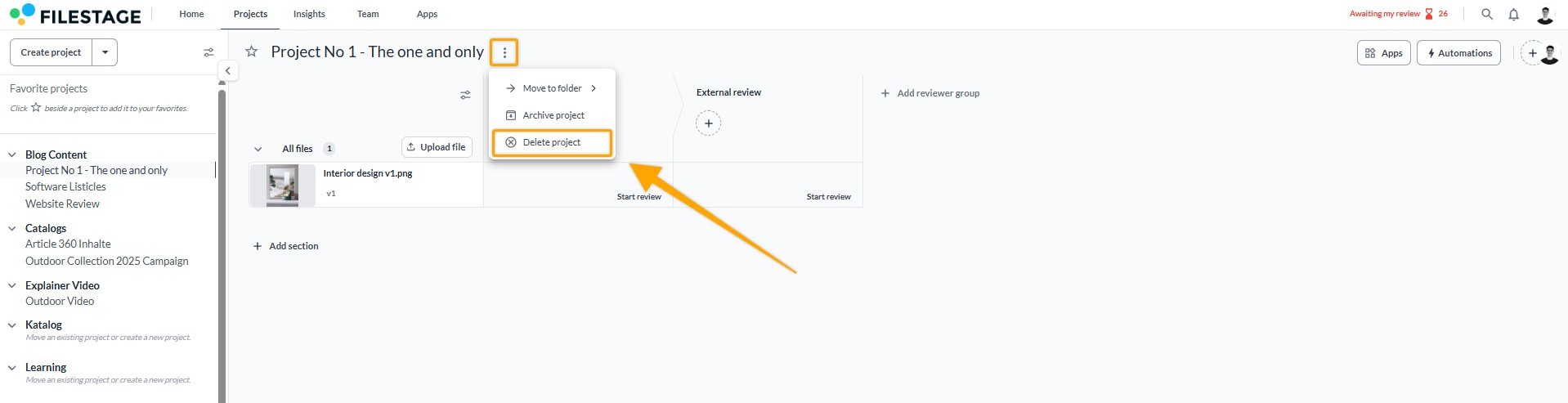
Delete a project only if you no longer need any of its files or comments, as this action cannot be undone.
|

 What's next? Now that your project is set up, learn how to assign roles and permissions to your team members!
Let us know if you have any questions by reaching out to us on chat or emailing us at support@filestage.io. We're always happy to help!