---
title: "How to use automations"
description: "Learn how to use automations to streamline your review process and eliminate manual tasks."
url: https://help.filestage.io/en/articles/9465083-how-to-use-automations
collection: "Project Setup and Organization"
updated: 2026-04-27
language: en
alternates: [es, fr, de]
---

# How to use automations

Learn how to use automations to streamline your review process and eliminate manual tasks.

_Automations help you speed up your workflow by triggering actions based on specific events. They handle repetitive tasks like moving files, updating statuses, or archiving projects. This allows your team to focus on high-value work instead of manual project management._

* * *

> **Info:** **_Automations_** _are only available on our_ **_Business and Enterprise plans_**_._

* * *

## How to set up automations

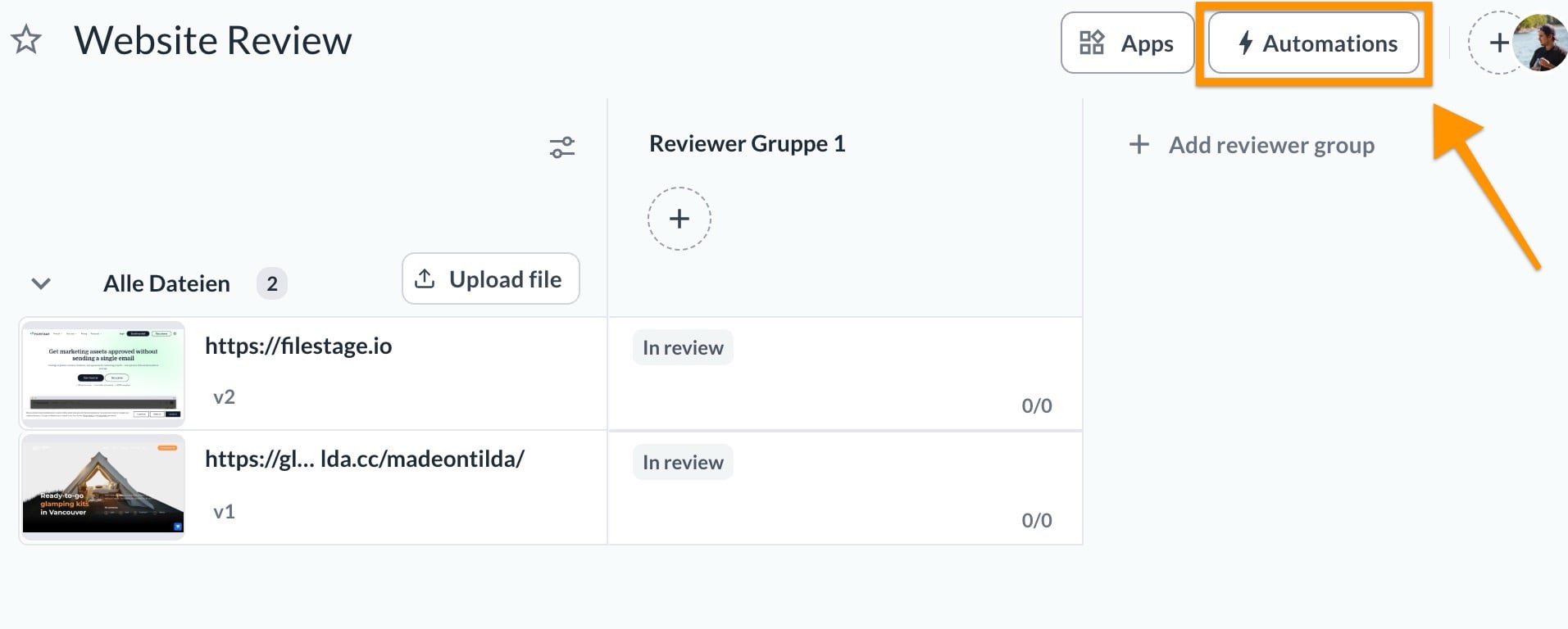
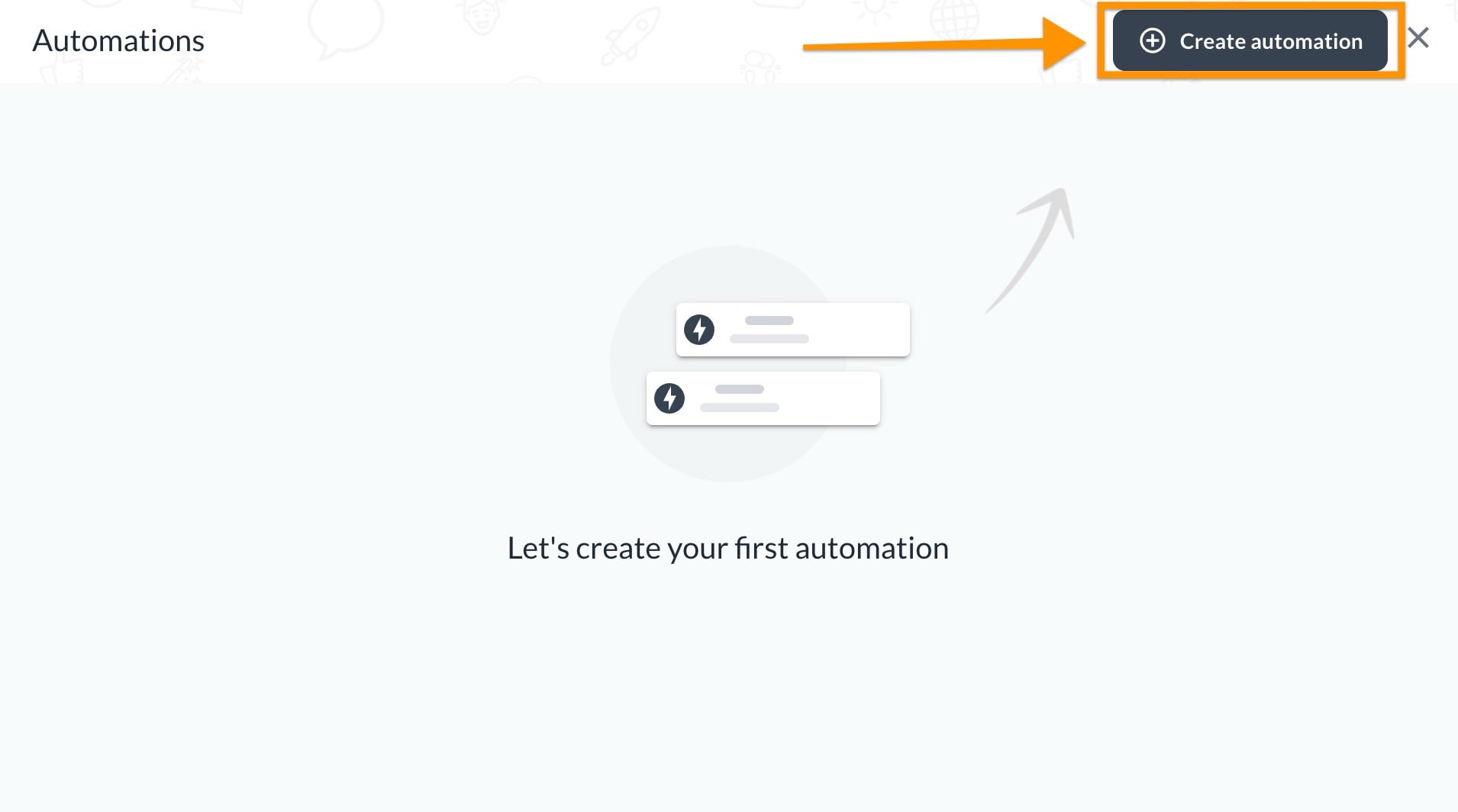
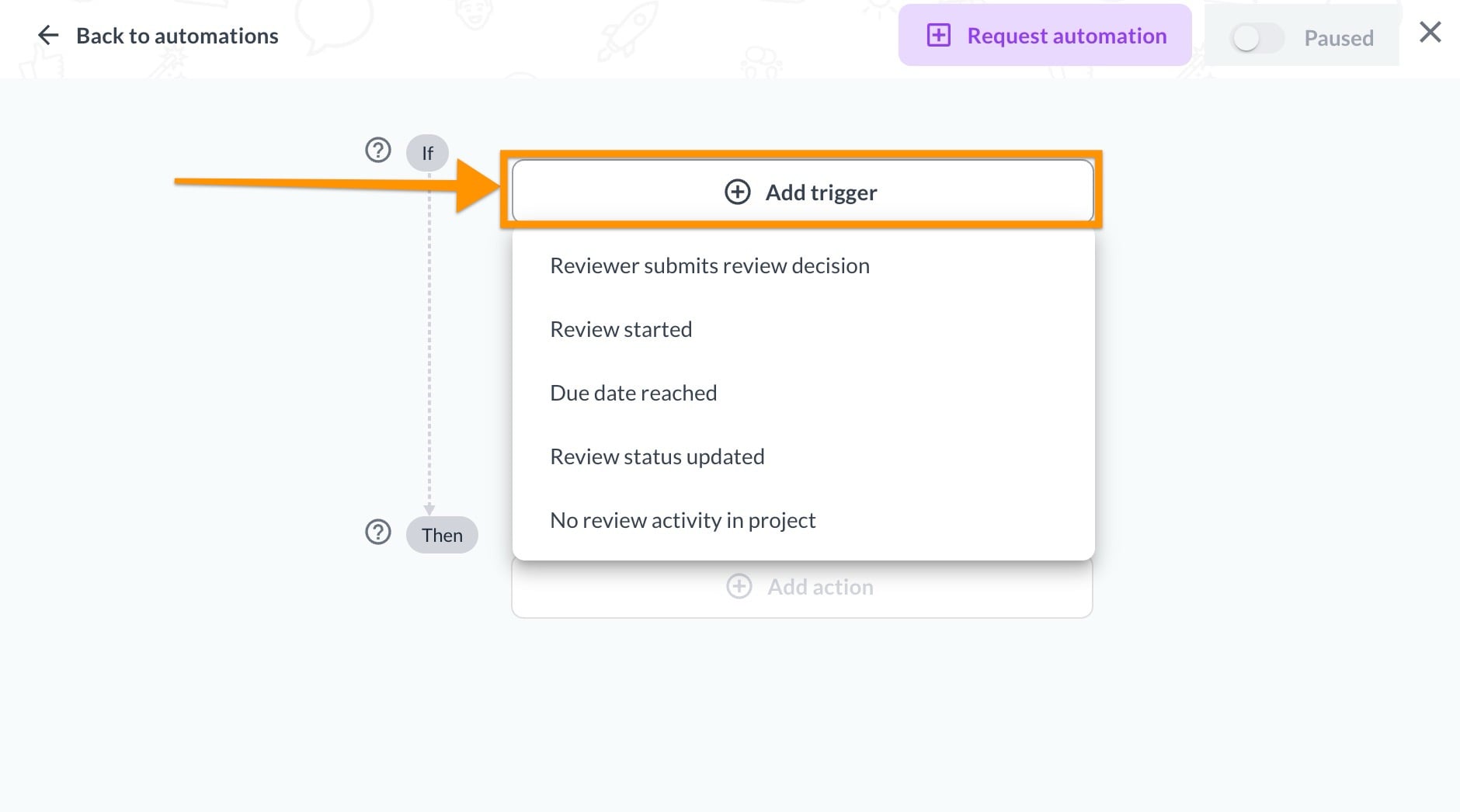
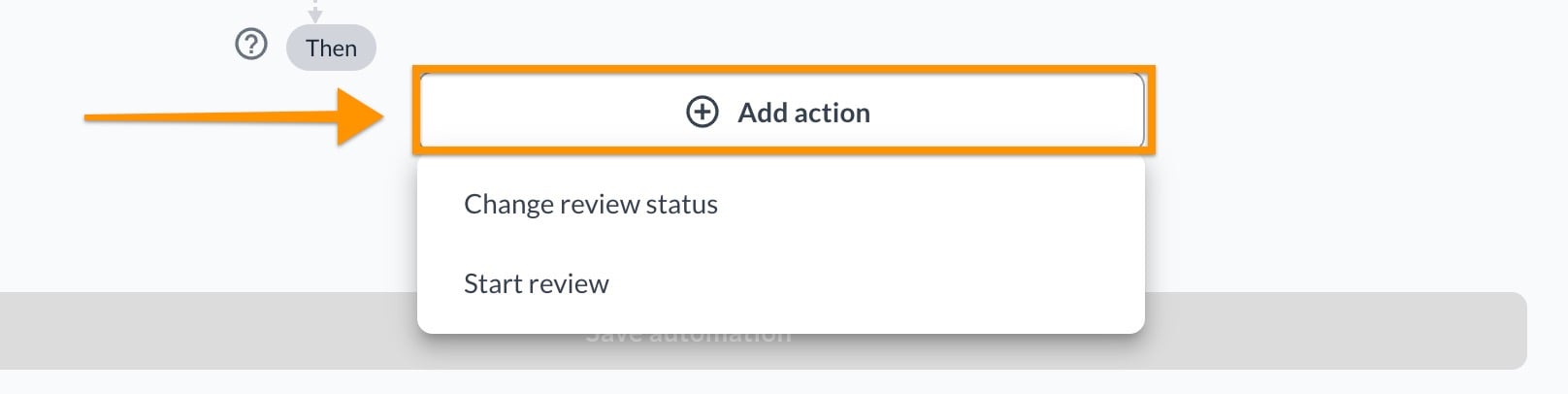
<table data-id="08be41cf-6c83-4ad4-984c-c5367e85e5ce" style="min-width: 25px;"><colgroup><col style="min-width: 25px;"></colgroup><tbody><tr><td colspan="1" rowspan="1"><ol><li><p data-id="27ae6af8-1c09-4d9e-9000-7e44977366bf">Open the <strong>Project</strong> dashboard</p></li><li><p data-id="d8107c41-64d0-4833-aead-e62889ca4af9">Click the <strong>Automations</strong> button</p><img src="https://staticfiles.gleap.io/ghelparticle/ymahmaywwBQNx6e0O3SJSPFijZa49NcuzJeT4flo87LLdSaoeO9DBNd7rSqJ5bsYhyprh4hG8Os.jpg" style="width: 65%; border-radius: 10px; margin-top: 10px; margin-bottom: 10px;"></li><li><p data-id="a6f22629-1019-44f7-b486-15ac3c3c8efc">Select <strong>Create automation</strong></p><img src="https://staticfiles.gleap.io/ghelparticle/pjfTyLuE2zsjHIOOx40PxYZZtMAfa4mjM8TcGnYMjvLckrb6kIL3TCuFYY0Iuf2WiYshdUzaQxF.jpeg" style="width: 65%; border-radius: 10px; margin-top: 10px; margin-bottom: 10px;"></li><li><p data-id="738c0201-8321-4896-8766-d1c5abce03a7">Choose a <strong>trigger</strong> (the event that starts the automation)</p><img src="https://staticfiles.gleap.io/ghelparticle/o32WOguiXq9dtfvu23qhjv1P3X8MR66vGehOIxa7p3B2Z3AsDSk8BDpgNBF2TMBh4jeoPDGIyNI.jpg" style="width: 65%; border-radius: 10px; margin-top: 10px; margin-bottom: 10px;"></li><li><p data-id="8456c041-eb5d-4d52-865f-4adb8b7e7f71">Define the <strong>action</strong> (what should happen automatically)</p><img src="https://staticfiles.gleap.io/ghelparticle/D7deFFnMkosJS81w7x5RhgewdtiSh98Rb1HJBbg2WjCmCiiapjwfM3EwXqQIGWT0rNQ0FIpqzfB.jpg" style="width: 65%; border-radius: 10px; margin-top: 10px; margin-bottom: 10px;"></li><li><p data-id="113374c4-32f2-4647-8c07-ccd2fdb9672a">Review your setup and click <strong>Save automation</strong></p><img src="https://staticfiles.gleap.io/ghelparticle/EQQjt7sR7I4qGZfpbABzW6ieSsDlmnKHTBODz1QNA4HPk5LAldL0cJd1GCuTOJIlTw2eJVPDoKK.jpg" style="width: 65%; border-radius: 10px; margin-top: 10px; margin-bottom: 10px;"></li></ol><p data-id="113f2773-7887-4664-9ad5-9ab8386ff4f3">Once saved, the automation will run automatically whenever the trigger condition is met.</p></td></tr></tbody></table>

> **Info:** _Only_ **_team members_** _with permission to_ **_manage automations_** _can create and edit automations. Team members without this permission can only view existing automations._

* * *

## What automations are available

<table data-id="d02af36a-2f2a-4435-88fc-4cb21cf53f1a" style="min-width: 50px;"><colgroup><col style="min-width: 25px;"><col style="min-width: 25px;"></colgroup><tbody><tr><td colspan="1" rowspan="1"><p data-id="c8dfacc9-8192-49f8-adb2-913adf9f3544"><strong>Triggers</strong></p></td><td colspan="1" rowspan="1"><p data-id="c568686a-8955-421c-aaa5-8f2a9e821d73"><strong>Actions</strong></p></td></tr><tr><td colspan="1" rowspan="1"><ul><li><p data-id="a6696d57-0969-4381-9780-2cc7936bb337">Reviewer submits review decision</p></li></ul></td><td colspan="1" rowspan="1"><ul><li><p data-id="c9649dfe-910d-4098-9f77-771b8dabc523">Change review status</p></li><li><p data-id="3d6c67d2-22d3-40c8-917b-f3191dea2f04">Start review</p></li></ul></td></tr><tr><td colspan="1" rowspan="1"><ul><li><p data-id="0b00f7b9-ac22-47f0-98e3-84e8f55631ac">Review started</p></li></ul></td><td colspan="1" rowspan="1"><ul><li><p data-id="867f8d43-ac0c-4319-b53f-189f492e1a74">Set due date</p></li></ul></td></tr><tr><td colspan="1" rowspan="1"><ul><li><p data-id="d4498fd1-cd9b-44bf-ac56-577881bbd59e">Due date reached</p></li></ul></td><td colspan="1" rowspan="1"><ul><li><p data-id="311a85ae-b739-4851-85a7-b8ee8659931e">Change review status</p></li><li><p data-id="616d36c6-3621-40a3-b458-19003f95d68c">Start review</p></li></ul></td></tr><tr><td colspan="1" rowspan="1"><ul><li><p data-id="8feeca61-d34d-4f4d-9c34-381c1697039d">Review status changed</p></li></ul></td><td colspan="1" rowspan="1"><ul><li><p data-id="b5c60529-c446-44a8-88c0-12bc25e2bbf7">Move to section</p></li></ul></td></tr><tr><td colspan="1" rowspan="1"><ul><li><p data-id="49dee22f-5995-4c6e-98ed-54535b7ceae8">No review activity in project</p></li></ul></td><td colspan="1" rowspan="1"><ul><li><p data-id="1863c055-c3a2-48d5-b69f-03aa4de83424">Archive project</p></li></ul></td></tr></tbody></table>

> **Info:** _Automations can be configured individually for each reviewer group._

* * *

## Triggers and Actions explained

To build an automation, you combine two elements:

**Trigger:** An event such as a review decision, status change or due date.

**Action:** What Filestage does automatically, such as updating the review status or setting a due date.

> **Info:** _Some triggers also include additional conditions that determine when the automation should run._
>
> _For example, the_ **_Reviewer submits review decision_** _trigger can be configured to run after receiving all review decisions from the reviewer group or after the first matching decision goes._

* * *

## Custom automations

In addition to default setups, we also support **custom automations** for more advanced workflows.

Custom automations allow you to:

-   Combine multiple conditions
    
-   Adapt workflows to internal approval rules
    
-   Match complex review processes used by legal, compliance, or enterprise teams
    

> **Info:** _For advanced needs, we offer custom automations tailored to your specific workflow. These are ideal if you manage complex approval rules or if you want to automate manual steps in the process that go beyond standard setups.__Our Customer Success team will work with you to build and implement these high-level automations. Please note that custom solutions are scoped individually and may involve additional costs. Interested in a custom setup? Contact our team at_ [_support@filestage.io_](mailto:support@filestage.io) _t__o discuss your requirements and receive a personalized quote._

* * *

💡**What´s next?** After understanding how to create and use automations, see how to [use the search to quickly find the information](https://help.filestage.io/en/articles/3686947-use-the-search-to-quickly-find-the-information-you-need.md) you need.

* * *

  
_Let us know if you have any questions by reaching out to us on chat or emailing us at_ [_support@filestage.io_](mailto:support@filestage.io)_. We're always happy to help!_