---
title: "Customize your team's branding"
description: "Learn how to change your team’s name, and how to add your company’s logo"
url: https://help.filestage.io/en/articles/1482247-customize-your-team-s-branding
collection: "Team and Permission Management"
updated: 2026-07-08
language: en
alternates: [fr, de, es]
---

# Customize your team's branding

Learn how to change your team’s name, and how to add your company’s logo

_Customize your Filestage account's branding with a personalized team name and company logo. This guide covers the steps for making these changes and explains which plans include the branding feature._

> **Info:** **_Please note:_** _Filestage is not white-labeled, but it allows you to brand the application with your own company logo. The logo will be displayed within the web application and in all email notifications._

* * *

## How to change the name of your team

To change the name of your team, follow these steps:

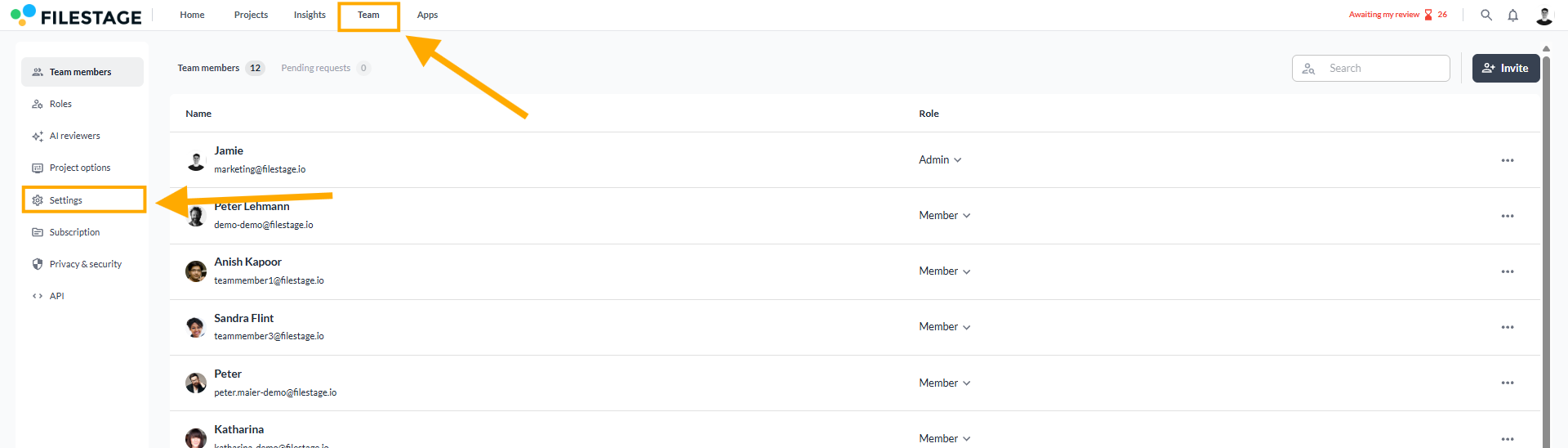
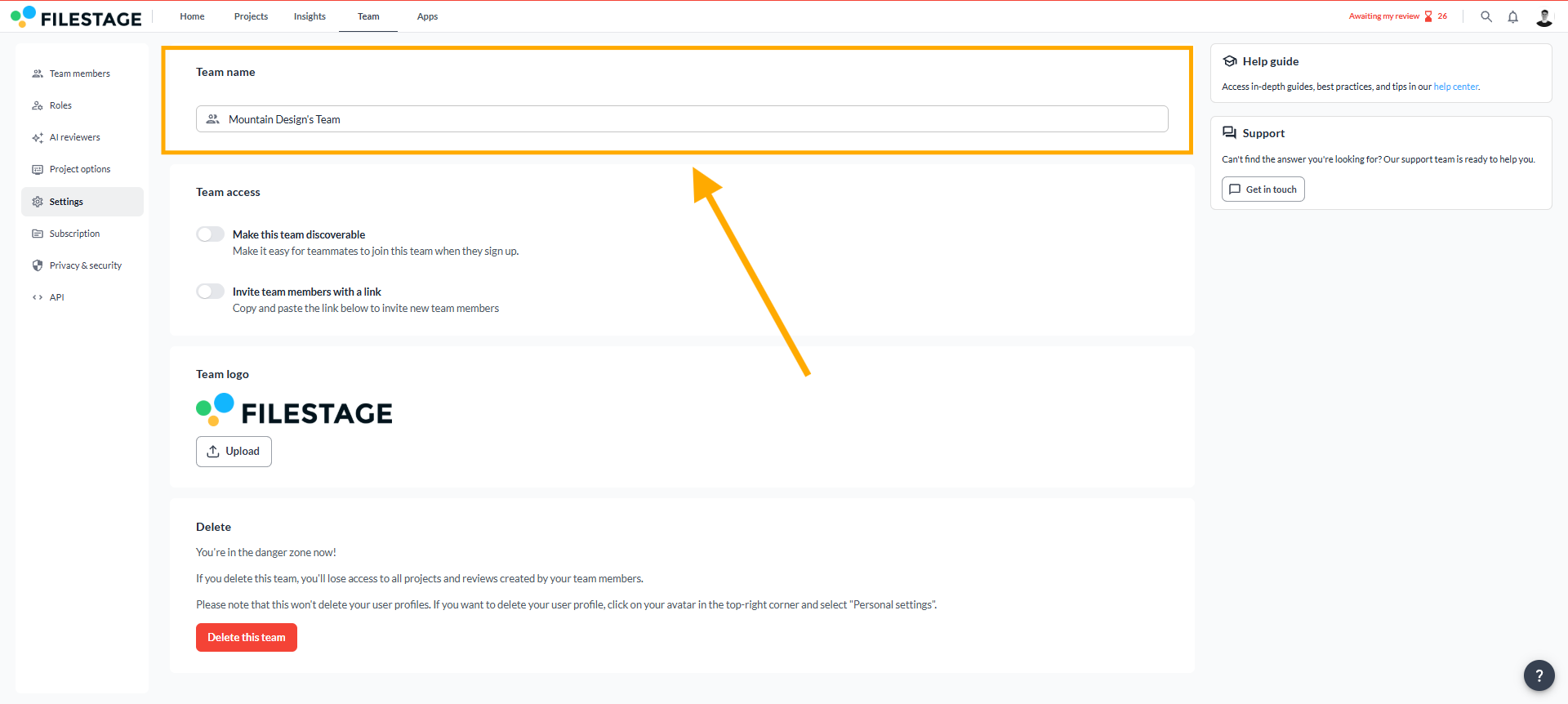
<table data-id="d6f6e274-b928-466c-9bcc-9c1d9c053ebd" style="min-width: 25px;"><colgroup><col style="min-width: 25px;"></colgroup><tbody><tr><td colspan="1" rowspan="1"><ol><li><p data-id="284b012f-1d9c-4a3d-9a16-4ee294aaf259">Click on <a target="_blank" rel="noopener noreferrer nofollow" class="linktype-link intercom-content-link link" data-linktype="link" href="https://app.filestage.io/#!/teams/members">Team</a> and open the <strong>Settings</strong></p></li></ol><div style="text-align: left; width: 100%;"><img src="https://staticfiles.gleap.io/gattachments/mYLJBHBd87INLa6WQjdbRbWKiMurHHCcNHENKHohsB6ZHTPK2ilbrrsBQEmFv7tHyNOQTw30Ibk.png" data-width="65%" data-align="left" style="width: 65%; border-radius: 10px; margin-top: 10px; margin-bottom: 10px;"></div><ol start="2"><li><p data-id="9d176703-3c99-4326-8c08-b364fcdfbcd8">Enter a new team name and confirm your changes by clicking on the check mark.</p></li></ol><div style="text-align: left; width: 100%;"><img src="https://staticfiles.gleap.io/gattachments/y1HZJVOcQOFaZDjoqhpH7PuNH3vRJA3i8msReImA9Xr5freCd8BRFkSiwRkM0OJPPnJaP92GSYn.png" data-width="65%" data-align="left" style="width: 65%; border-radius: 10px; margin-top: 10px; margin-bottom: 10px;"></div></td></tr></tbody></table>

* * *

## How to upload your company’s logo

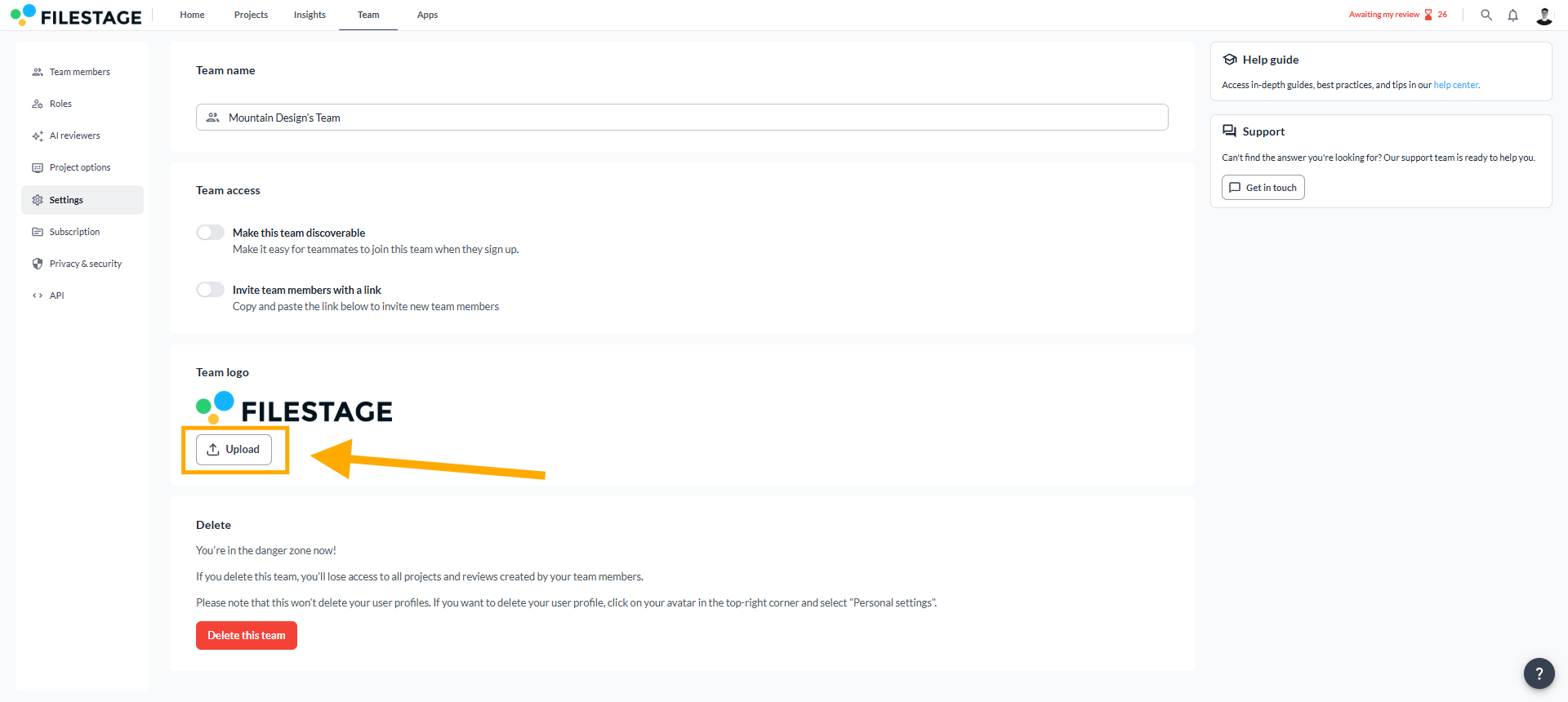
<table data-id="c224dc81-68f5-4429-a5a9-01f18c29b899" style="min-width: 25px;"><colgroup><col style="min-width: 25px;"></colgroup><tbody><tr><td colspan="1" rowspan="1"><ol><li><p data-id="21808eaf-3973-4b50-a124-db807f446620">Click on <a target="_blank" rel="noopener noreferrer nofollow" class="linktype-link intercom-content-link link" data-linktype="link" href="https://app.filestage.io/#!/teams/members">Team</a> and open the <strong>Settings</strong></p></li></ol><img src="https://staticfiles.gleap.io/gattachments/mYLJBHBd87INLa6WQjdbRbWKiMurHHCcNHENKHohsB6ZHTPK2ilbrrsBQEmFv7tHyNOQTw30Ibk.png" style=""><ol start="2"><li><p data-id="63f0ff02-040e-4a50-b502-2c7cad11f4cb">Scroll down to <strong>Team logo</strong> and then click on <strong>Upload</strong></p></li></ol><div style="text-align: left; width: 100%;"><img src="https://staticfiles.gleap.io/gattachments/Jv52Z9IjUkfZ3yIQ1k9L9hoVbpAWdT7nDxfybpcHpaB327VRZrnsewY5YRtP8RZ1kxS0i3PMl9A.png" data-width="65%" data-align="left" style="width: 65%; border-radius: 10px; margin-top: 10px; margin-bottom: 10px;"></div><ol start="3"><li><p data-id="d89c268d-e9b9-4013-8d6f-d5bc41dcab05">Select your logo image file (we support <strong>.jpeg, .gif</strong> and <strong>.png</strong>)</p></li><li><p data-id="92558dd3-d822-47b7-a76b-f5809d61e364">Click on <strong>Open</strong> to upload the file</p></li></ol></td></tr></tbody></table>

* * *

## Which plans include the branding feature?

❌Free

✅Starter

✅Business

✅Enterprise

If you are interested in this feature, you can switch to a [**paid subscription**](https://filestage.io/pricing/) or contact us directly at [**support@filestage.io**](mailto:support@filestage.io)**.** We will be happy to help!

* * *

💡 **What's next?** Once you're done customizing your branding, [**upload an avatar!**](https://help.filestage.io/en/articles/1459762-upload-a-avatar.md)

* * *

_Let us know if you have any questions by reaching out to us on chat or emailing us at_ [_support@filestage.io_](mailto:support@filestage.io)_! We're always happy to help!_